
Autonomous coding agents. Sandboxed. Under your control.
Synori.AI is your AI factory — an AI-native workspace for teams and swarms of agents. Automate LLM workflows in an isolated environment you control, with your choice of models and providers. Create documents, plan epics and track issues together in one workspace, with a shared knowledge base for every person and agent.
macOS 14+ · Apple Silicon · Free beta
Install from the terminal
curl -fsSL https://download.synori.ai/install.sh | shCopied to clipboardNo third-party analytics in the app · Encrypted local storage · UI in 7 languages

Agents with real power — without giving up control
A real sandbox, not a prompt leash
Agents edit files, run builds, tests and git inside a lightweight virtual machine — one per session. Your project is mounted in; the network stays closed until you open it, and allowed traffic goes through an audited proxy with an allowlist.
Multi-agent rooms you actually run
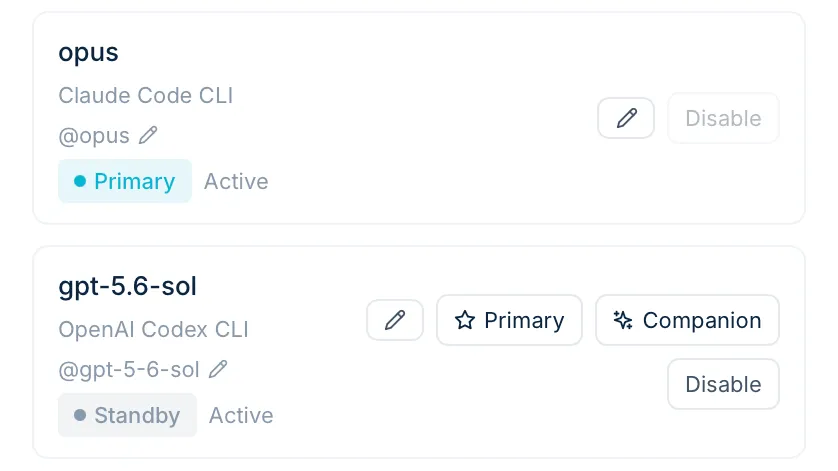
Put several models and yourself in one room: address any of them by name and they answer in parallel, or hand an errand to a background actor and keep talking. Risky actions pause for your allow or deny, every turn can be rolled back to a git snapshot, and a verify gate — lint, typecheck, build, test — plus an independent reviewer keep red code out of commits.
Local models next to frontier APIs
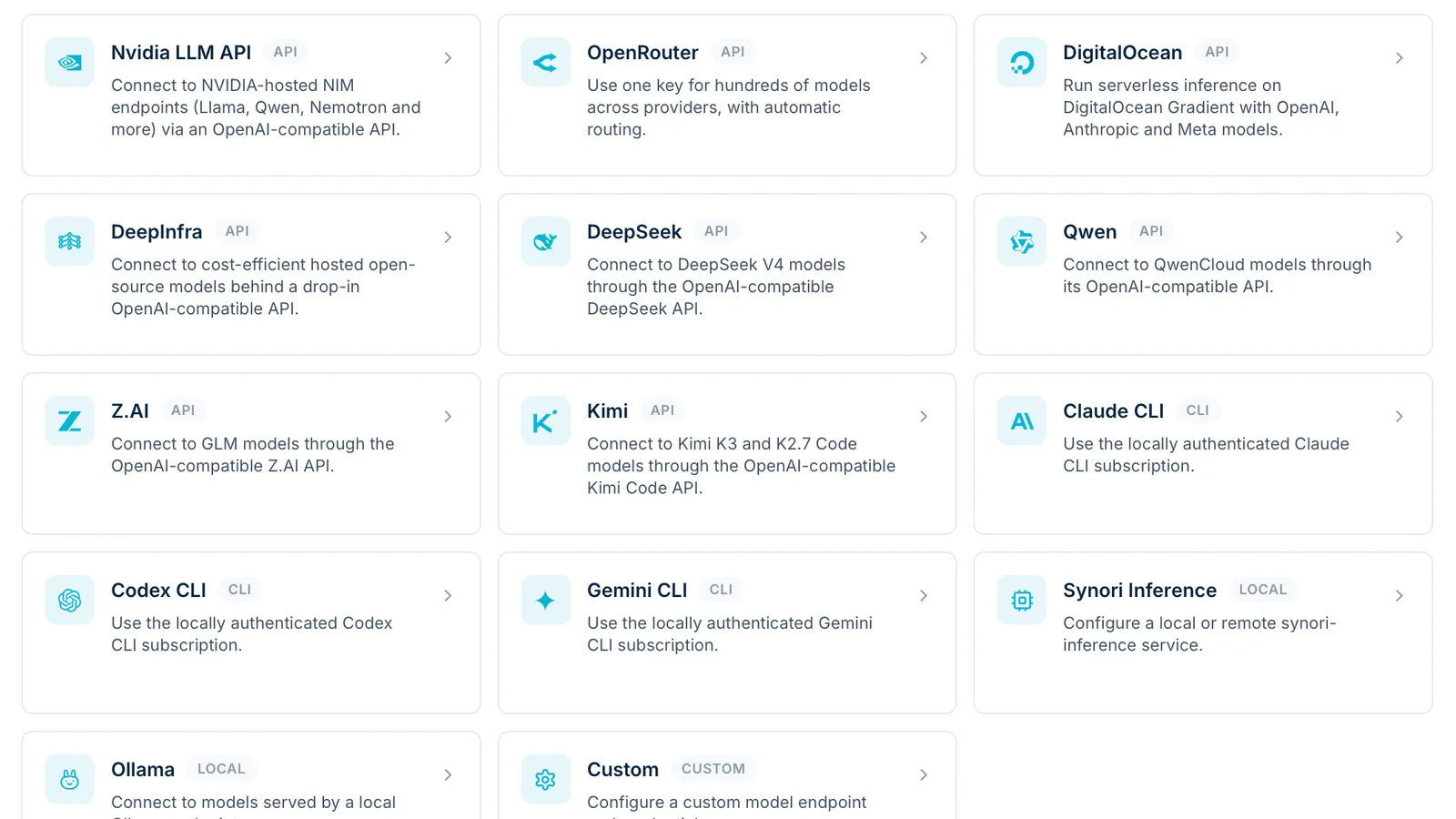
Run llama.cpp (GGUF) and MLX models — with LoRA and speculative decoding — or Ollama, alongside OpenAI, Anthropic, Gemini, OpenRouter, DeepSeek, Qwen, Kimi and any OpenAI-compatible endpoint. Bring your Claude Code, Codex and Gemini CLI subscriptions too: they run in a VM of their own. One catalog, switchable without losing the room.
Your tools, already connected
Import MCP servers in one click from Claude Code, Codex, Gemini CLI, Qwen Code, Cursor, VS Code and Windsurf. 112 built-in tools for issues, planning, documents, retrieval and graphs, plus GitHub and web search. Synori also serves as an MCP server and an OpenAI-compatible API for your own clients.
Claude CodeCodexGemini CLIQwen CodeCursorVS CodeWindsurf


Control from your pocket
Mirror rooms to Telegram, Slack or Discord — two-way, with approval buttons.
Answers that survive anything
Generation continues server-side. Close the laptop — the answer waits, and you re-attach without duplicates.
Speaks your language
The interface ships in English, German, French, Spanish, Polish, Ukrainian and Italian.
Tested in a real browser
Agents start your dev server in the sandbox and check the result in a built-in Chromium — clicks, forms, screenshots, console.
GitHub without the merge button
Pull requests, reviews, issues and CI checks through a scoped token and per-repository rules. Merging stays yours.
Context that lasts
Project memory, pinned documents, notes and automatic digests keep long sessions on track.
From zero to a working agent in four steps
- 1
Install in one line
One package installs the app with its backend, the synori CLI and the micro-VM runtime.
curl -fsSL https://download.synori.ai/install.sh | shCopied to clipboard - 2
Connect models & tools
Add API keys, sign in to Claude Code, Codex or Gemini CLI inside an isolated VM, or connect local models; import your MCP servers in one click.
- 3
Dispatch an activity
Describe the task — the agent works on your repository in the sandbox while you watch files, console, logs and context live.
- 4
Stay in control
Approve risky actions — even from Telegram, Slack or Discord. Roll back any step; the verify gate keeps the branch green.
What you need
| OS | macOS 14.0 (Sonoma) or later |
|---|---|
| Chip | Apple Silicon (M1 or newer) |
| Memory | 8 GB min / 16 GB+ for local models |
| Disk | installer ~2 GB; optional local models 2–40 GB |
| Network | required for your Synori account and cloud models; local inference runs on-device |
| Format | .pkg via install.sh |
| Intel Mac / Windows / Linux | not yet — get early access |
What's inside the installer
- SynoriAI.app — the workspace app with its embedded backend
- CLI tools inside the app: synori (linked into /usr/local/bin), synori-runner, synori-launcher
- The micro-VM runtime and the sandbox image your sessions boot from
Uninstall anytime:
curl -fsSL https://download.synori.ai/install.sh | sh -s -- --uninstallCopied to clipboardAutonomy without isolation is a liability
Synori was built isolation-first.
Hardware-isolated execution
Agent code runs in a lightweight virtual machine on Apple's hypervisor, separate for every session. Project files are mounted in; the host keeps final write authority.
Network closed by default
The sandbox has no network until you allow it. Permitted traffic flows through a local proxy with an allowlist and a full audit log.
Encrypted local storage
App data lives in an embedded local database. Secrets and API keys are encrypted with ChaCha20-Poly1305; the app manages the key — no system popups.
You are the final authority
Pick an access mode per room — Plan, Auto-edit or Unrestricted — and add your own rules. Risky actions ask: allow, always-allow or deny. Git checkpoints let you roll back any agent step.
Zero third-party analytics in the app
No trackers, no analytics SDKs, no telemetry inside Synori.AI.
An honest data model
Orchestration state — rooms and chats — syncs with your Synori account over TLS. Inference on local models never leaves your device.
Read how your data flows →
Put your agents to work — safely.
curl -fsSL https://download.synori.ai/install.sh | shCopied to clipboardTell us about you and your team — we'll reach out with early access.