Working with agents
Models and providers
Connect frontier APIs, local models and the coding CLIs you already use — and tune how each model behaves in a room.
Synori.AI keeps every source of models in one catalog, and a room can mix them freely: a frontier model as the primary, a local model as the companion, a coding CLI as a standby.
Provider types
| Type | Providers |
|---|---|
| API | OpenAI, Anthropic, Google Gemini, OpenRouter, DeepSeek, Qwen, Z.AI (GLM), Kimi, NVIDIA NIM, DeepInfra and DigitalOcean Gradient |
| Coding CLI | Claude Code, Codex CLI and Gemini CLI — with your existing subscription or an API key |
| Local | Ollama, and Synori Inference for llama.cpp (GGUF) and MLX models on this Mac or another machine |
| Custom | Any endpoint that speaks the OpenAI-compatible API |
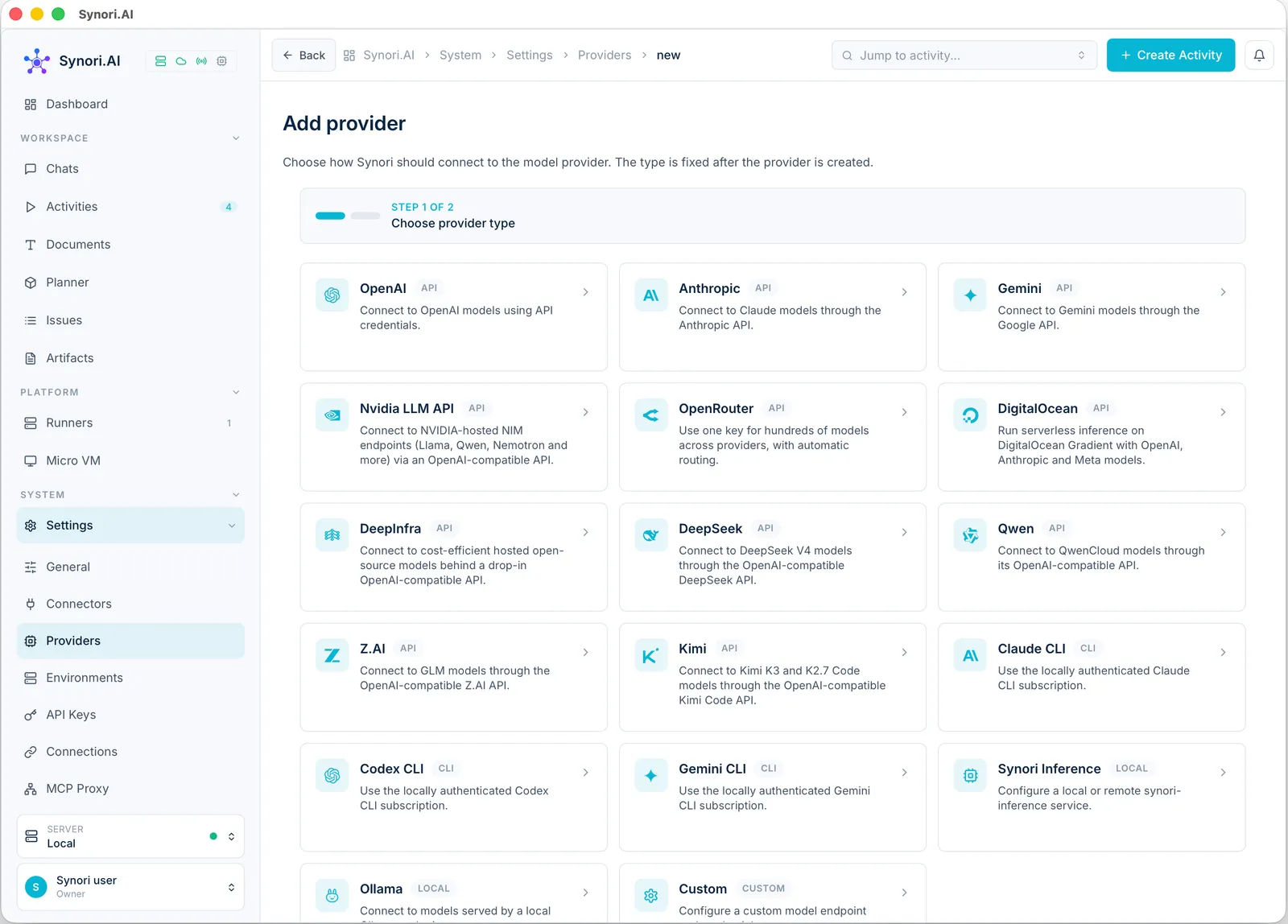
API keys are write-only: they are stored encrypted and never shown again. A disabled provider disappears from the model pickers and keeps its settings.
Coding CLIs
Claude Code, Codex and Gemini CLI run inside an isolated agent VM, never directly on your Mac. Sign-in happens there too: Synori starts a disposable VM, shows the sign-in link or device code, and stores the credential it produces. You can also import an API key, a setup token or an existing credential file, and give every credential a description so two accounts of the same vendor stay easy to tell apart. When a subscription needs a fresh login, Sign in again refreshes the same credential, so every agent that uses it keeps working.
Local models
Synori Inference serves GGUF models through llama.cpp and MLX models on Apple Silicon. An inference profile points Synori at a service on this Mac or on another machine, and its models appear in the same picker as cloud ones. A model that declares reasoning levels gets a depth selector; any other keeps its own default. Ollama has a provider of its own.
Presets and parameters
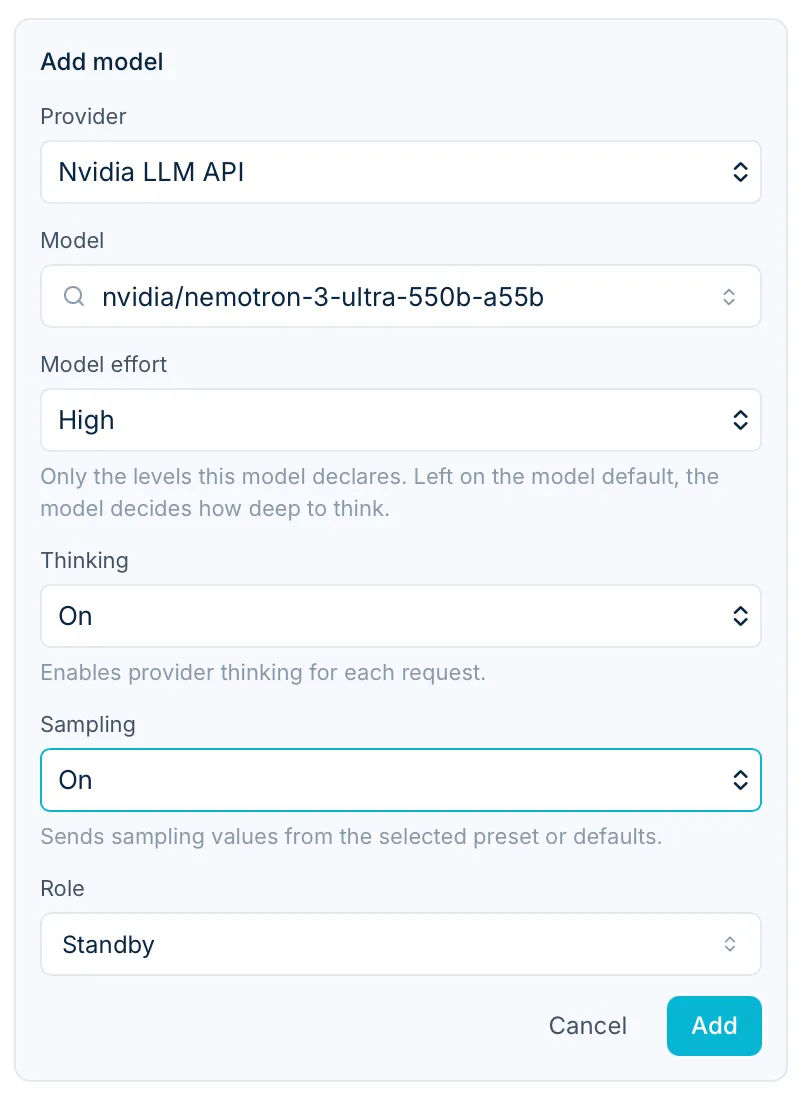
Every model can have presets — thinking on or off, sampling, reasoning effort and the context window of an activity — and one of them is the default. A participant in a room picks its own preset and credential, so the same model can run with different settings in different rooms.